AI SMB Growth Kits Are Here: What Indian Businesses Get
AI SMB growth kits automate leads, follow-ups, and CRM entry—but at what cost? Here's what Indian businesses really get, in rupee terms, without the lock-in.
Last month I sat with the owner of a 22-person auto parts distributor in Ludhiana who was paying three people to manually re-enter WhatsApp orders into Tally, chase payment follow-ups, and copy-paste quotes into email. His lead response time was 40 minutes on a good day. By the time his team replied, half the buyers had already ordered from a competitor. He wasn't short on demand. He was short on the boring, repeatable work that eats a small team alive.
This is exactly the gap that the new wave of AI SMB growth kits is trying to fill. Salesforce launched its "Agentforce" and small-business AI bundles, HubSpot rolled out AI-powered Breeze agents, and Zoho, which most Indian SMBs already touch in some form, has pushed Zia deep into every module. The pitch is seductive: point-and-click automation that answers leads, drafts follow-ups, updates your CRM, and books meetings while you sleep. The reality is more nuanced, and if you adopt these blindly you'll end up locked into a per-seat contract that quietly balloons every renewal.
In this post I'll break down what these AI tools for Indian SMBs actually automate, what they cost in rupee terms, how one Indian business adopted them without getting trapped, and a practical checklist to roll them out affordably. No hype. Just what I've seen work and fail on real deployments.
Key Takeaways
- AI growth kits mostly automate three things well: lead qualification, follow-up drafting, and CRM data entry. Everything else is still marketing.
- Salesforce Agentforce and HubSpot are powerful but priced in USD per seat — budget ₹2,500–₹7,000 per user per month before add-ons.
- Zoho and open ecosystems (WhatsApp API + n8n + a mid-tier LLM) give you 70% of the value at 25% of the cost, with far less lock-in.
- Start with ONE workflow that has a measurable rupee value, prove it in 30 days, then expand.
- Watch for hidden costs: AI "conversation" credits, message template fees, and integration connectors that aren't in the sticker price.
- Data residency and GST invoice handling matter — check where your customer data physically sits before you sign.
What do AI SMB growth kits actually automate?
Ignore the marketing verbs like "transform" and "supercharge". When you strip a growth kit down to what it does on a Tuesday afternoon, you get a handful of concrete jobs.
Lead capture and qualification
The AI watches your inbound channels — website form, WhatsApp, Instagram DM, a missed call — and instead of a lead sitting untouched for 40 minutes, it responds in seconds. It asks two or three qualifying questions ("Which product? What quantity? Which city for delivery?") and either books a slot or routes the lead to a human with context already attached. For a business drowning in "just checking price" queries, this alone is worth the effort.
Follow-up and nurture drafting
Most SMB revenue leaks out through poor follow-up, not poor leads. The AI drafts the second, third, and fourth touch — "Hi Rajesh, following up on the 200-unit quote from Tuesday, the offer holds till Friday" — and either sends it or queues it for one-click approval. This is where I see the fastest ROI, because it fixes a problem owners already know they have.
CRM hygiene and data entry
Call logging, note summarisation, updating deal stages, tagging contacts. Boring, error-prone, and exactly what AI is good at. An agent can listen to a call recording, summarise it in three lines, and update the deal — work a salesperson usually skips.
Basic reporting and forecasting
"Show me deals likely to close this month" or "which leads went cold." Useful, but honestly the weakest link — the forecasting is only as good as your data discipline, and most SMBs have messy data. Don't buy a kit for this alone.
What these kits do not reliably do yet: negotiate, handle genuinely complex support, or replace judgment. If you want a realistic view of where automation stops and humans start, we covered exactly that in AI Chatbot vs Human Support: What Indian SMBs Should Automate.
How much do these AI tools for Indian SMBs actually cost?
Here's where owners get surprised. The sticker price is per user, in dollars, and the AI capabilities are usually an add-on on top of the base CRM. Let me put realistic monthly numbers side by side for a 5-user team, converted to rupees at roughly ₹84 to the dollar.
| Platform | Base cost (5 users/month) | AI add-on | Lock-in risk | Best for |
|---|---|---|---|---|
| Salesforce (Starter + Agentforce) | ~₹10,500 | Consumption-based, ₹1.6L+ credit packs | High | Fast-scaling firms with budget |
| HubSpot (Starter + Breeze) | ~₹6,000 | Credits bundled, then metered | Medium-High | Marketing-heavy SMBs |
| Zoho CRM Plus + Zia | ~₹10,000 (₹2,600/user) | Mostly included | Low-Medium | Indian SMBs, GST-native |
| WhatsApp API + n8n + LLM | ~₹3,000–₹6,000 | Pay-per-use API tokens | Very Low | Cost-conscious, technical |
| Microsoft 365 + Copilot | ~₹6,000 + Copilot ₹8,700 | Per-seat Copilot licence | Medium | Office-heavy teams |
A few things jump out. Salesforce's Agentforce charges roughly per "conversation" or action the AI takes, which is unpredictable — a busy month can blow past your credit pack and you'll get a top-up bill. HubSpot's Breeze credits work similarly. Zoho, being built for the Indian market and priced in rupees with GST-ready invoicing, tends to be the least painful for a first-time buyer. And the DIY stack — WhatsApp Business API stitched to an automation tool like n8n and a language model — gives you the most control for the least money if you have someone technical.
If you already run Google Workspace or Microsoft 365, don't overlook the AI features you may already be paying for. Most teams use maybe 20% of what's available — we listed the underused ones in 6 Hidden AI Features in Microsoft 365 & Workspace SMBs Miss.
Case study: how a Jaipur handicrafts exporter cut response time from 40 minutes to under a minute
Let me walk through a real deployment pattern, based on a handicrafts exporter I helped in Jaipur. Eleven staff, roughly ₹1.4 crore annual turnover, selling to buyers across India and a few overseas. Their problem was classic: 60–70 WhatsApp enquiries a day, two people manually replying, and inconsistent follow-up. They estimated they were losing 15–20 orders a month simply because replies came too late.
They'd gotten a Salesforce quote of around ₹1.9 lakh a year plus AI credits, which for an eleven-person shop felt like buying a truck to deliver a tiffin. Here's what we did instead.
- Connected the WhatsApp Business API through an approved BSP so all enquiries flowed into one shared inbox instead of two personal phones. Setup and verification took about nine days including Meta's business verification. This is the piece most SMBs get wrong on their own; our WhatsApp Business API setup handles the verification and template approvals so you don't lose a week to rejections.
- Built an AI first-responder that answered instantly in Hindi or English, asked for product category, quantity, and destination city, and captured it into Zoho CRM. Response time dropped from 40 minutes to under a minute.
- Set up automated follow-up sequences — a nudge at 24 hours, another at 72 hours, always drafted with the specific quote details, sent only after a human clicked approve for the first month while we tuned the tone.
- Added call summarisation so that voice enquiries (still huge in the export trade) got logged automatically instead of scribbled on a notepad.
The monthly running cost landed around ₹9,500 — Zoho licences, WhatsApp conversation charges, and the LLM usage. Within two months their reply-time problem was gone and the owner credited roughly 12 extra orders a month to consistent follow-up. The payback was under six weeks. They did not need a ₹1.9 lakh contract to get there.
Pro Tip: Keep the AI on "draft and approve" mode for the first 3–4 weeks, not full auto-send. You'll catch tone problems, wrong prices, and awkward phrasing before a customer does. Once you trust the drafts, flip individual sequences to auto. I've seen teams rush straight to full automation and send a "₹0 quote" to fifty customers because of one bad field mapping.
How do you adopt AI growth kits without vendor lock-in?
Lock-in isn't just about the contract. It's about how hard it is to leave. The real trap is that your customer data, your automation logic, and your message templates all live inside one vendor's walls, and moving means rebuilding everything. Here's how to stay flexible.
- Own your data layer. Whatever CRM you pick, make sure you can export contacts, deals, and conversation history in a clean format. Test the export in month one, not when you're trying to leave.
- Keep automation logic portable where you can. A tool like n8n or Make lets your workflows live outside the CRM, so switching CRMs doesn't nuke your automation. Native Salesforce/HubSpot flows are more powerful but stay behind.
- Use standard channels. WhatsApp Business API and email are portable. Any BSP can carry your API number. Avoid proprietary chat widgets that only work inside one platform.
- Start month-to-month. Almost every vendor offers monthly billing at a small premium. Pay it. Annual contracts save 15–20% but cost you leverage. Commit annually only after you've run 60–90 days.
Common mistake: signing an annual multi-seat deal because the salesperson offered "two months free." I've watched a Pune firm pay for 15 Salesforce seats when only 6 people ever logged in. That's ₹1.2 lakh a year for empty licences. Buy for who uses it today, add seats when you outgrow — every vendor will happily upsell you later.
A 30-day rollout plan you can hand to your team
You don't roll out an AI kit across the whole company at once. You prove one workflow, then expand. Here's the sequence I use.
- Week 1 — Pick one painful, measurable workflow. Lead response is usually the best first target because the rupee value of a lost lead is easy to estimate. Write down your current numbers: average response time, leads per day, conversion rate.
- Week 1–2 — Connect the channel and CRM. Get WhatsApp API verified, plug in your CRM, and make sure enquiries land in one place. Don't automate anything yet. Just get clean data flowing.
- Week 2–3 — Turn on AI in draft mode. Let it qualify and draft replies while a human approves. Watch for tone, language switching, and price errors. Tune the prompts.
- Week 3–4 — Automate the confident parts. Auto-send the first acknowledgement and follow-up nudges. Keep quotes and negotiation human.
- End of week 4 — Measure against your baseline. Did response time drop? Did conversion move? If yes, expand to the next workflow. If not, fix before you scale.
If you don't have someone in-house who can wire WhatsApp, a CRM, and an LLM together, this is precisely the kind of scoped, fixed-outcome project our IT consulting team takes on. We'll build the first workflow, hand you the documentation, and not create dependency. For businesses that need something more tailored than off-the-shelf, our custom software development and AI voicebot teams can handle voice-heavy or highly specific flows.
What about compliance, GST, and data residency?
This gets skipped and it shouldn't. A few things Indian SMBs need to check.
- GST-compliant invoicing. If your CRM also raises invoices or quotes, confirm it handles GSTIN, HSN codes, and place-of-supply logic. Zoho is strong here since it's built in India. Foreign tools often need a bolt-on.
- Where your data sits. The DPDP Act (Digital Personal Data Protection Act) is now law, and while rules are still being operationalised, customer data handling is going to matter. Ask your vendor whether Indian customer data can be stored in an India region. Salesforce and AWS offer Indian data centres; check your plan actually uses them.
- WhatsApp template rules. Meta requires pre-approved templates for business-initiated messages. Marketing templates cost more per conversation than utility ones. Get your categories right or your costs creep up.
- Consent. Automated follow-up to people who didn't opt in is a fast way to get your WhatsApp number blocked. Capture consent at the point of enquiry.
One more practical note: many businesses adopting these tools are also formalising as MSMEs or registering entities in new cities. If you need a compliant business address for GST or company registration without renting physical space, our virtual office service covers that, and it pairs naturally with getting your digital operations in order.
Where does shadow AI fit into all this?
Here's an uncomfortable truth. Even if you don't roll out an official kit, your staff are already using AI. They're pasting customer data into free chatbots to draft replies. This "shadow AI" is a real data-leak risk, and the fix isn't a ban — it's giving people a sanctioned tool that's easier to use than the unofficial one. We dug into why this happens in Shadow AI at Work: Why 91% of Employees Use Unapproved Tools, and it's worth reading before you decide your team "isn't using AI yet." They almost certainly are.
If you're still deciding which underlying AI to standardise on, our comparison of Claude, Copilot, or Gemini for SMBs is a good next step.
Frequently asked questions
Are AI SMB growth kits worth it for a business with under 10 employees?
Yes, if you have a repetitive, high-volume workflow like lead response or follow-up. For a very small team, skip the expensive foreign kits and start with a Zoho or WhatsApp-API-based setup that runs under ₹10,000 a month. The value comes from consistency, not headcount.
How much should an Indian SMB budget for AI automation per month?
Realistically ₹6,000 to ₹15,000 a month for a 5–10 person team on a sensible stack, including CRM licences, WhatsApp conversation charges, and AI usage. Premium platforms like Salesforce Agentforce can push that to ₹25,000+ once AI credits are added.
Will AI replace my sales team?
No. It replaces the parts your sales team hates — data entry, first-touch replies, follow-up chasing. Negotiation, relationship-building, and complex queries still need humans. Think of it as removing 3–4 hours of admin per person per day, not removing the person.
Can I connect these AI tools to Tally or my existing accounting software?
Usually yes, through integration tools or native connectors, though Tally specifically often needs a middleware layer. Confirm the integration exists before you commit, and budget for a one-time setup. This is a common reason SMBs bring in outside help for the initial build.
What is the biggest hidden cost in AI growth kits?
Consumption-based AI credits and per-conversation charges. The base licence looks affordable, then usage-based billing kicks in during a busy month and the bill doubles. Always ask for the metered pricing and estimate your monthly volume before signing.
Is my customer data safe with these AI platforms?
It depends on the vendor and plan. Check whether Indian customer data is stored in an India region, review the data processing terms under the DPDP Act, and never let staff paste sensitive data into free consumer chatbots. Use sanctioned tools with proper contracts.
How long before I see results from AI automation?
For a well-scoped workflow like lead response, most SMBs see measurable improvement within 30 days and payback within 6–10 weeks. Broader transformation takes longer, which is why starting with one workflow is smarter than a big-bang rollout.
The bottom line
The AI SMB growth kits arriving now are genuinely useful, but they're not magic, and the expensive branded ones aren't the only route. The smartest move for most Indian businesses is to identify one workflow that's bleeding money, adopt a lean stack of AI tools for Indian SMBs that stays portable, prove the rupee value in 30 days, and expand from there. Keep your data exportable, buy seats for people who actually use them, and don't sign an annual contract in month one.
If you want a partner who's actually built these setups for Indian businesses rather than one reselling a licence, that's what we do. Have a look at our full services overview, our cloud and managed services, or just get in touch and tell us the one workflow that's costing you the most. We'll tell you honestly whether AI is the fix or whether you've got a simpler problem to solve first.
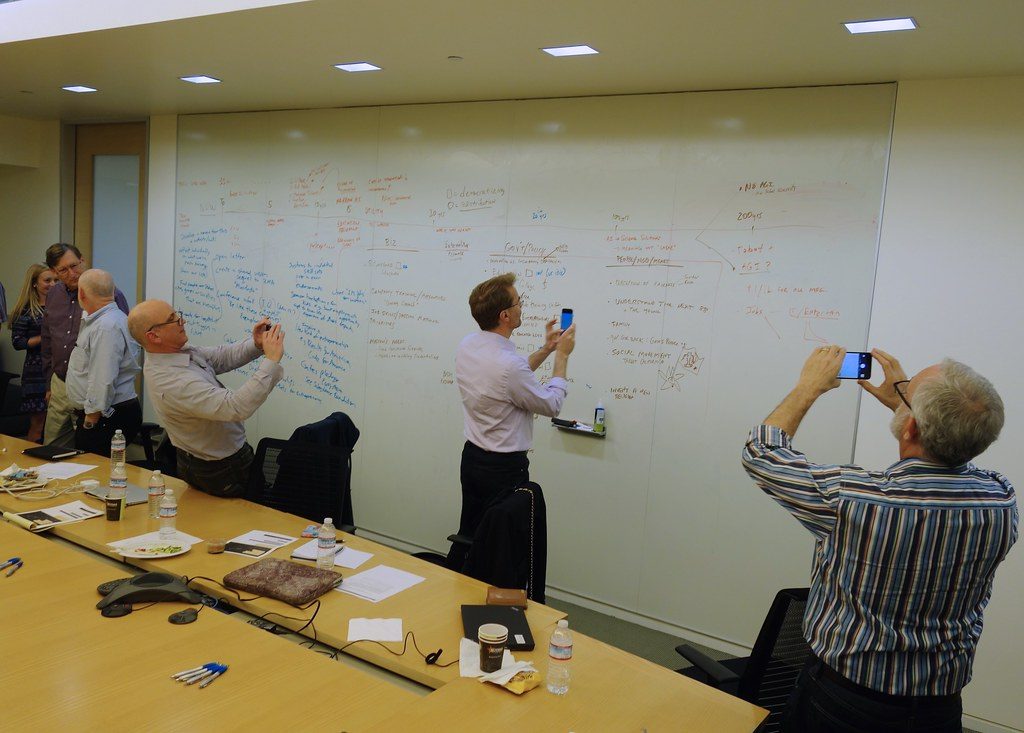
Image credit: Reflections on the new Machine Age — technology, inequality and the economy by jurvetson via flickr (BY 2.0), sourced through Openverse.
Written by
Meera Nair
IT project manager with a decade of experience delivering custom software and mobile apps for Indian businesses. Meera writes about technology adoption, app development lifecycles, and AI integration.
Looking for a technology partner?
From IT consulting to virtual office to custom software — eDarpan can help.
Continue reading
AI Voicebots for Indian SMBs 2026: Cut Call Wait, Not Staff
Indian SMBs lose 25-40% of calls after hours. See how an AI voicebot captures missed bookings in Hindi & regional languages—with real rupee costs.
AI Agents in Google Workspace & Microsoft 365 2026: Govern Safely
Deploy Gemini and Copilot without leaking client data or breaking DPDP compliance. A practical governance checklist and rollout guide for Indian SMBs in 2026.
AI Skilling for Indian SMB Teams 2026: Upskill Without Layoffs
Thinking of firing staff for AI-native hires? A practical 90-day plan for AI skilling for Indian SMBs that upskills your existing team 60-80% cheaper.