AI Compute Rentals in India: Cheaper GPU Cloud for SMBs?
Is renting GPUs by the hour legit for Indian SMBs? Real rupee costs, rent-vs-buy math, and the hidden charges that quietly burn your budget.
Last month a founder in Pune messaged me at 11 PM, half panicked. His team had trained a computer vision model for a warehouse inventory client, and the demo was in four days. The problem? His single on-prem workstation with an RTX 3090 was going to take roughly 60 hours to finish one training run, and he needed at least three runs to tune the thing. Buying a proper multi-GPU box quoted at ₹6.8 lakh was out of the question for a bootstrapped studio. He wanted to know if renting GPUs by the hour was legit or just marketing noise.
It's legit, and the timing has never been better. With Meta reportedly opening up its compute, xAI building out massive clusters, and a wave of Indian providers like E2E Networks, Yotta, and NeevCloud entering the space, the market for renting AI horsepower is finally competitive. That competition matters because it drives prices down. An NVIDIA A100 that would cost you north of ₹10 lakh to buy can be rented for somewhere between ₹120 and ₹250 per hour depending on the provider and commitment. For an SMB that runs training jobs a few times a month, the math flips hard in favour of renting.
In this post I'll walk through what AI compute rental India actually means in practice, when it makes sense versus buying, real rupee costs from providers you can sign up with today, a worked migration example, and the mistakes I see teams make that quietly burn cash. This is written for the founder or IT lead who has to justify every rupee, not for someone with a blank cheque.
Key Takeaways
- Renting GPUs makes sense when your utilisation is under roughly 40 to 50 percent. Below that threshold, buying hardware means paying for idle silicon.
- Indian providers (E2E, Yotta, NeevCloud) often undercut AWS/Azure/GCP on raw GPU-hour pricing and keep your data in-country, which simplifies compliance under the DPDP Act.
- Spot or preemptible instances can cut costs 60 to 80 percent for fault-tolerant training jobs. Use them with checkpointing.
- Watch egress and storage charges. The GPU rate is rarely the real bill.
- Claim input tax credit on the GST if you're registered. That 18 percent is recoverable and changes the real cost.
- Start with a small provider or short commitment before locking into reserved capacity.
What does GPU cloud rental actually mean for an Indian SMB?
Strip away the jargon and it's simple. Instead of buying a machine with expensive graphics processors and keeping it in your office or a colocation rack, you rent access to that hardware sitting in someone else's data centre, billed by the hour or minute. You connect over SSH or through a managed notebook, run your job, and shut it down.
The reason GPUs matter for AI specifically is that training and running neural networks involves massive parallel math. A CPU handles this slowly. A GPU like the NVIDIA A100 or H100 handles it 20 to 50 times faster on typical deep learning workloads. That's why every serious model training happens on GPUs.
For most Indian SMBs, the workloads fall into three buckets:
- Fine-tuning: Taking an existing open model (Llama, Mistral) and adapting it to your data. Needs a GPU for hours to a couple of days.
- Inference at scale: Running a trained model to serve predictions, like a document classifier or a recommendation engine. Needs steady, smaller GPU capacity.
- Training from scratch: Rare for SMBs, expensive, usually not worth it when good open models exist.
If you're mostly doing the first two, rental is almost always the right call. If you're building custom AI features into your product, our team handles the heavy lifting through custom software development, and we've deployed exactly these fine-tuning-then-serve pipelines for clients.
Should you rent or buy GPUs? The break-even math
This is the question that actually matters, and the answer is a spreadsheet, not an opinion. Let me give you a real framework.
Say you're looking at an NVIDIA A100 80GB. To build a single-GPU workstation around it in India, you're looking at roughly ₹9 to ₹12 lakh all-in once you add the server chassis, CPU, RAM, power supply, and cooling. Add electricity (a GPU under load pulls 300 to 400 watts, and Indian commercial power runs ₹8 to ₹11 per unit in most cities), plus the reality that the hardware depreciates and NVIDIA releases faster chips every 18 months.
Now compare renting. At an average ₹180 per hour, that ₹11 lakh buys you roughly 6,100 GPU-hours of rental. That's the equivalent of running a job continuously for over 250 days.
Here's the trap: nobody runs a GPU 24/7 at an SMB. Realistic utilisation is 15 to 30 percent. So that owned GPU sits dark most of the month while it depreciates. At 25 percent utilisation, your ₹11 lakh box gives you real value equivalent to about 1,500 useful GPU-hours per year, meaning it takes four years to break even against rental, by which time the chip is two generations old.
Pro Tip: The break-even isn't about total hours, it's about consistent hours. If you can genuinely keep a GPU busy 50 percent or more of every month for two years straight, buy. If your usage is spiky (three heavy weeks, then nothing), rent. Most SMBs I audit are spiky and don't realise it until we log the actual usage.
What does AI compute rental India cost across providers?
Prices move fast, so treat these as directional ranges I've seen in mid-2024 quotes, not gospel. Always confirm current rates. What's clear is that Indian providers are aggressively competing, and keeping data in-country is a genuine advantage under the Digital Personal Data Protection Act.
| Provider | Example GPU | Approx ₹/hour (on-demand) | Data location | Best for |
|---|---|---|---|---|
| E2E Networks | A100 80GB | ₹130–₹180 | India (Delhi, Mumbai) | Cost-sensitive Indian SMBs, INR billing, GST invoice |
| Yotta (Shakti Cloud) | H100 | ₹250–₹400 | India (Navi Mumbai) | Larger training jobs, sovereign data needs |
| NeevCloud | A100/H100 | ₹150–₹350 | India | Startups wanting India-first support |
| AWS (ap-south-1) | A100 (p4d) | ₹280–₹450 | Mumbai region | Teams already on AWS, deep ecosystem |
| Google Cloud | A100 (a2) | ₹300–₹480 | Mumbai/Delhi region | ML tooling, Vertex AI integration |
Two things jump out. First, the Indian-native providers routinely undercut the hyperscalers on raw GPU-hour price, sometimes by 40 percent or more. Second, all of them bill you in rupees with a proper GST invoice, which means if you're a registered business you claim that 18 percent as input tax credit. That's not a rounding error; on a ₹2 lakh monthly bill it's ₹36,000 back.
The hyperscalers earn their premium through ecosystem depth: managed ML platforms, integrated storage, autoscaling, and monitoring. If your team already lives in AWS or GCP, the switching cost may not be worth chasing a cheaper GPU rate. We help clients weigh exactly this trade-off through our IT consulting practice, because the right answer depends on your existing stack.
A worked example: how a Pune AI studio cut training costs by 70 percent
Back to that founder from the intro. Here's what we actually did, and the numbers are real.
The situation: A six-person AI services studio in Pune, doing contract work for logistics and retail clients. They owned two workstations, one with an RTX 3090 (₹1.9 lakh) and one older card. Monthly they were spending around ₹8,000 on electricity and losing serious time because training runs were slow and they couldn't run experiments in parallel.
The audit: We logged their GPU usage over three weeks. Actual utilisation was 22 percent. They were paying for hardware, power, and space that sat idle three-quarters of the time. The RTX 3090 also lacked the VRAM to fine-tune the larger models their newer clients wanted.
The migration, step by step:
- We opened an E2E Networks account and verified GST details so invoices carried input tax credit.
- Moved their datasets and code into an object storage bucket in the Mumbai region to keep egress minimal and data in-country.
- Set up a reusable environment as a container image so any rented GPU spun up ready to train in under five minutes, no manual driver installs.
- Built a checkpointing routine so long jobs saved progress every 30 minutes. This unlocked the use of cheaper spot instances without fear of losing work.
- Wrote a simple shutdown script that killed the instance the moment a job finished, so they never paid for an idle GPU overnight.
The result: Their monthly compute spend settled around ₹22,000 during a busy month and dropped near ₹6,000 in quiet months, versus a fixed ₹8,000 electricity plus the sunk depreciation of ₹1.9 lakh hardware that could no longer do the job. More importantly, they could now run three experiments in parallel on A100s, cutting their delivery time per project by roughly a week. They kept one workstation for local development and dev testing, which is the right hybrid.
The parallelism was the real win. Cost savings paid for themselves, but shipping faster is what actually grew their revenue.
How do you avoid the hidden costs that inflate your GPU bill?
The advertised GPU-hour rate is the headline, not the bill. Here's where the money actually leaks, based on invoices I've picked apart for clients.
Egress and data transfer
Moving data out of the cloud costs money. Providers often let you upload free but charge to download. If your workflow pulls large datasets or model outputs back to your office repeatedly, this adds up. Keep processing close to where the data lives.
Idle instances
The single biggest waste. Someone spins up an A100 for testing, forgets it, and it runs for three days doing nothing. That's ₹13,000 gone. Automate shutdowns. Set billing alerts. This is not optional.
Storage that never gets cleaned
Old checkpoints, duplicate datasets, forgotten volumes. Storage is cheap per GB but accumulates. Set a monthly cleanup habit.
Over-provisioning
Renting an H100 when an A100 or even a smaller card would do. Match the GPU to the job. Inference workloads especially rarely need top-tier hardware.
Common Mistake: Teams get seduced by spot instance savings, then run non-fault-tolerant jobs on them and lose eight hours of training when the instance gets reclaimed. Spot pricing is brilliant, but only if you've built checkpointing first. Never run an un-checkpointed job on a preemptible instance. Do the plumbing before you chase the discount.
What about compliance, data residency, and GST?
This is where Indian SMBs need to pay attention, and where the India-first providers earn their keep.
Under the Digital Personal Data Protection Act, if you're processing personal data of Indian users, keeping that data within India dramatically simplifies your compliance posture. Providers like Yotta and E2E keep everything in Indian data centres. The hyperscalers also offer Mumbai and Delhi regions, so residency is achievable there too, but you must explicitly choose the Indian region and confirm your data doesn't replicate elsewhere.
On GST: every legitimate provider issues a tax invoice with your GSTIN. If you're a registered business, that 18 percent GST is claimable as input tax credit against your output liability. Make sure your GSTIN is entered correctly at account setup, because getting invoices reissued later is a headache. If you're an early-stage venture without a proper registered address to get your GST sorted, a virtual office address for GST and company registration solves that cleanly.
For MSMEs, remember that documented IT infrastructure spend supports your books and can factor into scheme eligibility. Keep clean records of what you're spending on compute.
When should you not bother renting GPUs at all?
Honest advice: a lot of SMBs think they need GPU rental when they don't.
If you're using AI through APIs like OpenAI, Anthropic's Claude, or Google's Gemini, you're already renting compute indirectly and you pay per token, not per GPU-hour. You never touch a GPU. For most SMBs building chatbots, content tools, or automations, this API route is simpler and cheaper than renting raw GPUs. We break down that decision in our guide on picking an AI automation tool for SMBs.
You only need raw GPU rental when you're fine-tuning models on your own data, running open-source models you host yourself for cost or privacy reasons, or doing heavy custom training. If that's not you, skip the GPU rabbit hole entirely.
For deploying customer-facing AI without touching infrastructure, our AI voicebot and WhatsApp Business API services get you running on managed platforms. And if you're weighing whether to automate support at all, read AI chatbot vs human support before you build anything.
A practical checklist before you sign up
- Log your actual GPU usage for two to three weeks. Guessing leads to overspending.
- Decide rent vs buy on real utilisation, not aspiration. Under 40 percent, rent.
- Shortlist two providers, one Indian-native and one hyperscaler, and price your specific workload.
- Confirm data residency in an Indian region if you handle personal data.
- Enter your GSTIN at setup to claim input tax credit.
- Build container images and checkpointing before your first big run.
- Set billing alerts and automated shutdown scripts on day one.
- Keep a small local dev machine for cheap experimentation and code testing.
If you want help sizing any of this or migrating cleanly, our cloud migration and managed services team does exactly this work, and you can see the full range on our services overview.
Frequently asked questions
Is GPU cloud rental cheaper than buying in India?
For most SMBs, yes, because typical GPU utilisation sits well under 40 percent, meaning owned hardware sits idle while depreciating. Renting only charges you for the hours you actually use. Buying makes sense only if you can keep a GPU consistently busy over 50 percent for two years or more.
Which is the cheapest GPU cloud provider for Indian startups?
Indian-native providers like E2E Networks and NeevCloud typically offer the lowest per-hour rates, often 40 percent below hyperscalers, along with rupee billing and GST invoices. AWS, Azure, and GCP cost more but offer deeper managed tooling. The cheapest option depends on your workload and existing stack.
Can I claim GST input tax credit on cloud GPU rentals?
Yes. If your business is GST-registered and the provider issues a proper tax invoice with your GSTIN, you can claim the 18 percent GST as input tax credit against your output liability. Enter your GSTIN correctly during account setup to avoid reissue hassles later.
Do I need GPUs to use AI in my business?
Usually not. If you're using AI through APIs like Claude, ChatGPT, or Gemini, you pay per usage and never touch a GPU. You only need to rent GPUs when fine-tuning or self-hosting your own models. Most SMB use cases are better served by managed APIs.
Where is my data stored with Indian GPU providers?
Providers like Yotta and E2E keep data in Indian data centres by default, which simplifies compliance under the DPDP Act. Hyperscalers offer Mumbai and Delhi regions, but you must explicitly select the Indian region and confirm data isn't replicated abroad.
What are spot or preemptible instances and are they safe?
They're spare GPU capacity offered at 60 to 80 percent discounts, with the catch that the provider can reclaim them with little notice. They're safe for fault-tolerant jobs if you've set up checkpointing so work is saved regularly. Never run un-checkpointed jobs on them.
How do I estimate my monthly GPU rental cost?
Multiply your expected GPU-hours per month by the per-hour rate, then add storage, data egress, and roughly 15 to 20 percent buffer for overruns. Log actual usage for a few weeks first, since real numbers almost always differ from estimates. Set billing alerts to catch surprises early.
The bottom line
The entry of Meta, xAI and a growing bench of Indian providers into AI compute rental India is genuinely good news for smaller businesses. It means you no longer need lakhs of rupees in capital to train and deploy real AI. You need a clear view of your actual usage, discipline around idle instances, and the sense to keep data in-country and your GST claimed. Rent when you're spiky, buy only when you're consistently busy, and never over-provision.
Most of the SMBs I work with don't even need raw GPUs. They need the AI outcome, whether that's an automation, a smarter app, or a support bot that actually works. If you're not sure which side of that line you fall on, that's exactly the conversation to have before spending anything. Talk to the eDarpan team and we'll help you figure out whether you need compute, a managed platform, or just a better plan. You can also learn more about how we work with Indian businesses.
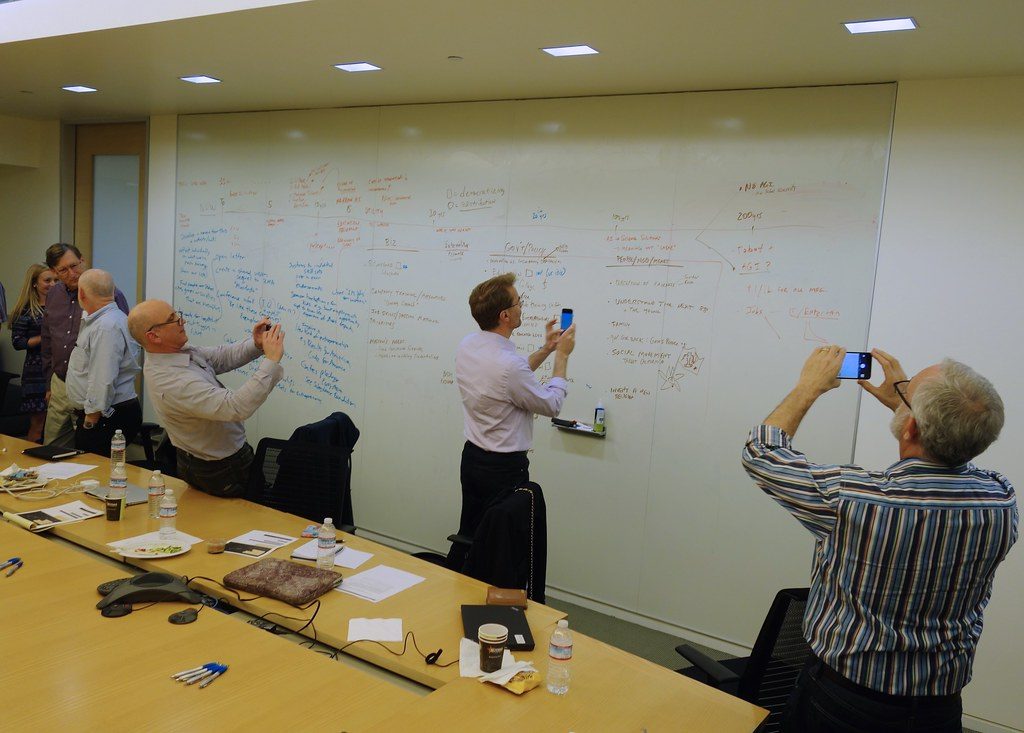
Image credit: Reflections on the new Machine Age — technology, inequality and the economy by jurvetson via flickr (BY 2.0), sourced through Openverse.
Written by
Amit Verma
Cloud architect specializing in AWS, Azure, and GCP infrastructure. Amit has designed multi-region deployments for Indian enterprises and writes about cloud migration, cost optimization, and DevOps best practices.
Looking for a technology partner?
From IT consulting to virtual office to custom software — eDarpan can help.
Continue reading
AI Voicebots for Indian SMBs 2026: Cut Call Wait, Not Staff
Indian SMBs lose 25-40% of calls after hours. See how an AI voicebot captures missed bookings in Hindi & regional languages—with real rupee costs.
AI Agents in Google Workspace & Microsoft 365 2026: Govern Safely
Deploy Gemini and Copilot without leaking client data or breaking DPDP compliance. A practical governance checklist and rollout guide for Indian SMBs in 2026.
AI Skilling for Indian SMB Teams 2026: Upskill Without Layoffs
Thinking of firing staff for AI-native hires? A practical 90-day plan for AI skilling for Indian SMBs that upskills your existing team 60-80% cheaper.