WhatsApp Bulk Messaging Limits: Tiers & Warm-Up for 2026
Learn how WhatsApp Business API messaging limits, tiers, and quality ratings work in 2026, plus a proven warm-up plan to protect your number from blocks.
Here's a scene I've watched play out a dozen times. A Diwali sale is three days away, a Jaipur-based apparel brand loads 40,000 contacts into their WhatsApp tool, hits send, and by lunch their number is throttled. Half the messages never leave the queue. The marketing head calls me in a panic asking why a "verified" business number suddenly can't message its own customers. The answer is almost always the same: they never understood the tier system, and they never warmed up the number.
WhatsApp doesn't let you blast messages the way an old SMS gateway did. Every business number sits inside a messaging tier that caps how many unique customers you can start conversations with in a rolling 24-hour window, and that cap moves up or down based on a quality rating Meta assigns you. Get flagged too many times and you don't just lose reach, you can get the number blocked entirely. For an SMB that has spent months building its opted-in list, that's a genuine business risk.
This post breaks down exactly how WhatsApp Business API messaging limits work in 2026, how the tier ladder actually climbs, how to warm up a fresh number without tripping the quality alarms, and what to do the day Meta drops your rating. I'll use real rupee numbers, a worked example from a client, and a checklist you can hand straight to your BSP.
Key Takeaways
- Messaging tiers count unique customers you initiate a conversation with in 24 hours, not total messages sent. This trips up almost everyone.
- The tiers are 250, 1,000, 10,000, 100,000, and unlimited. You climb automatically by sending quality messages and maintaining a good rating.
- Quality rating (High / Medium / Low) is driven by block rate and "report spam" taps, not delivery. A single bad campaign can tank it in hours.
- Warm-up matters more than tier. Go from 250 to full volume over 3 to 4 weeks, not overnight.
- Template quality and opt-in hygiene protect your number better than any tool. Marketing templates are judged far more harshly than utility ones.
- If you hit Low quality, pause marketing sends immediately and lean on transactional templates to recover.
What are WhatsApp Business API messaging limits, really?
Let me clear up the single biggest misconception first. When people hear "messaging limit" they picture a cap on total messages, like "you can send 10,000 messages a day." That's not how it works.
The tier limit counts business-initiated conversations with unique customers in a rolling 24-hour window. If you're on the 10,000 tier, it means you can start a fresh conversation with up to 10,000 different phone numbers in any 24 hours. Once you've opened a conversation with a customer, you can exchange as many messages within that thread as the conversation category allows without eating into your daily unique count again.
Two more things people miss:
- Customer-initiated conversations don't count against your tier. If a customer messages you first, you can reply freely. This is why service-heavy businesses rarely hit limits.
- The limit is per phone number, not per WhatsApp Business Account (WABA). You can register multiple numbers under one WABA, and each carries its own tier and quality rating.
So a real estate firm running an inbound-heavy operation and a D2C brand blasting promotional campaigns face completely different constraints, even on the same tier. If you're still deciding whether the API is even right for you versus the free app, read our founder's guide to the Business API vs the Broadcast app before you invest.
How do the WhatsApp messaging tiers work in 2026?
Meta uses a five-rung ladder. You start low and climb as you demonstrate you can send messages people actually want.
| Tier | Unique customers / 24 hrs | Typical business at this stage | How you reach it |
|---|---|---|---|
| Tier 0 (Unverified) | 250 | Freshly onboarded, business not yet verified | Default on registration |
| Tier 1 | 1,000 | Small shop, early campaigns | Business verification + quality not Low |
| Tier 2 | 10,000 | Growing D2C, mid-size retailer | Send to 50% of current limit within 7 days at good quality |
| Tier 3 | 100,000 | Established brand, large customer base | Same 50%-in-7-days rule, quality maintained |
| Tier 4 | Unlimited | Enterprise, banks, large e-commerce | Same trigger, sustained high quality |
The upgrade mechanic is the part people trip on. To move up a rung, you generally need to send messages to at least half of your current tier's limit within a rolling 7-day period while keeping your quality rating out of the Low bucket. Hit that, and Meta usually bumps you within 24 hours.
Concrete example: you're at Tier 1 (1,000). To advance to Tier 2 (10,000), you need to message at least 500 unique customers inside seven days without your quality dropping. Do that cleanly, and you wake up on the 10,000 tier. Try to jump straight to 10,000 sends from a cold number, though, and you'll never get there because the block rate will crush your rating first.
Business verification is a hard gate. Until your business is verified in Meta Business Manager, you're stuck at 250 no matter how clean your sends are. Verification needs a legal business name, a matching GST or incorporation document, and often a phone or domain check. For Indian SMBs, having a proper registered address helps here, which is one reason many founders set up a virtual office address for GST and company registration before applying.
What is the WhatsApp quality rating and why does it decide everything?
Your tier is the ceiling. Your quality rating decides whether you keep climbing or get thrown back down. Meta assigns each number one of three states based on how recipients react over a rolling window:
- High (Green): Healthy. Keep going.
- Medium (Yellow): Warning. Recipients are blocking or reporting more than they should.
- Low (Red): Danger. Sustained Low quality gets your number's tier downgraded, and eventually flagged or restricted.
Here's the critical bit that catches people: quality is driven almost entirely by block rate and "report spam" taps, not by delivery failures or read rates. You can have a 98% delivery rate and still crater your rating if 3% of recipients block you. Meta reads a block as "this business is bothering me," and it weights that signal heavily.
Common Mistake: Sending a marketing template to your entire list at once "to get it over with." A big single blast maximizes the number of annoyed people reacting in the same window, which is exactly what spikes your block rate. Drip the same list across a few hours or days and the identical content often sails through at High quality. Volume concentration, not volume itself, is what hurts you.
One more nuance for 2026: marketing-category templates are judged far more harshly than utility and authentication ones. An OTP or an order-shipped update almost never generates blocks. A "50% off, buy now" template to a lukewarm list generates plenty. This is why your recovery strategy when things go wrong is to lean on transactional messages. It's also worth understanding the tighter rules around automation, which we cover in our breakdown of why WhatsApp is banning general AI chatbots.
How do you warm up a new WhatsApp number without getting flagged?
Warm-up is the discipline of gradually increasing send volume so Meta's systems learn your number is legitimate. Skip it and you'll get throttled or flagged in the first week. Here's the ramp I actually use with clients.
- Days 1 to 3 (start at 250): Send only to your warmest contacts. People who messaged you recently, repeat customers, staff. Aim for near-zero blocks. Use utility templates like order confirmations or appointment reminders where possible.
- Days 4 to 7 (push toward 500): Complete business verification if you haven't. Introduce one gentle marketing template to a small, engaged segment. Watch the quality rating in Business Manager daily.
- Week 2 (target 1,000 to 2,000): If quality is still High, expand segments. Keep the ratio roughly 70% utility to 30% marketing. This is when Tier 2 unlocks if you've hit the 50%-in-7-days threshold.
- Week 3 (target 5,000 to 8,000): Broaden your audience but keep excluding anyone who hasn't engaged in 90 days. Split large sends into batches spaced through the day.
- Week 4 onward (full tier volume): By now you should be sitting comfortably at Tier 2 or moving to Tier 3, with a High rating that gives you headroom.
Two rules to protect the ramp. First, never introduce a brand-new, cold, purchased, or scraped list into a number you're warming up. That's the fastest way to a Red rating and, in India, it's also a straight violation of the opt-in requirements Meta tightened in January. Second, keep template variety. Sending the exact same promotional template repeatedly increases the chance recipients report it as spam.
A real warm-up: how a Pune D2C brand went from blocked to 100K/day
A skincare D2C brand in Pune came to us after their number dropped to Low quality on day two of a launch. They had a clean opted-in list of about 60,000 from their Shopify store, but they'd loaded all of it into a fresh, unverified number and fired a single "Launch is live, 30% off" blast. Roughly 2,100 people blocked them within hours. Meta throttled the number and their launch effectively died on arrival.
Here's what we did over the next four weeks:
- Week 1: Paused all marketing. Completed business verification using their private limited docs and GST certificate (took 4 working days). Sent only order and shipping updates from the number, which generated zero blocks and started rebuilding quality.
- Week 2: Rating climbed back to Medium. We segmented the 60K list by engagement and sent a single utility-flavoured "your order history + a thank-you offer" template only to the 8,000 customers who'd purchased in the last 90 days. Block rate: under 0.4%.
- Week 3: Rating hit High. Tier moved from 1,000 to 10,000. We ran marketing to the next 20,000 engaged contacts, batched across the day, with three template variants rotated by segment.
- Week 4: They crossed the 50%-in-7-days threshold and jumped to Tier 3 (100,000). The full 60K list was now reachable with headroom to spare.
The tooling and BSP setup cost them roughly ₹6,000 a month plus conversation charges, a fraction of the revenue they'd have lost by burning the number. The lesson wasn't about spending more. It was about sequencing. If you want help mapping this out for your own account, our team offers this as part of WhatsApp Business API setup and consulting.
How much does WhatsApp bulk messaging cost in India?
Beyond tiers, cost drives real decisions, so let's be specific. Meta's 2025-26 pricing shift moved billing toward a per-template-message model for marketing and utility categories, with authentication and service messages priced separately. Actual paise-per-message rates vary by category and change periodically, so treat the numbers below as planning estimates and confirm current rates with your provider.
| Provider type | Typical monthly platform fee | Best for | Watch out for |
|---|---|---|---|
| Global BSP (e.g. Twilio, 360dialog) | ₹5,000 – ₹25,000+ | Enterprises, complex integrations | Higher markup, USD billing swings |
| Indian BSP (e.g. Gupshup, Interakt, Wati) | ₹1,500 – ₹8,000 | SMBs wanting local support & INR billing | Feature gaps at lower plans |
| Managed setup via a consultant | Bundled with services | Businesses without in-house tech | Choose one who owns your WABA correctly |
Two cost traps I see repeatedly. First, marketing templates cost meaningfully more per message than utility ones, so restructuring a promo as a genuine utility message (order update, account alert) where legitimately applicable saves real money at scale. Don't fake it, though, because Meta reclassifies templates it thinks are miscategorised. Second, don't pick a BSP purely on rack rate. A cheap provider that owns your WABA and won't hand it over is a trap. Compare channels holistically first, which we do in SMS vs WhatsApp vs Email for India, because for pure transactional alerts a bulk SMS setup is sometimes cheaper and more reliable.
What should your pre-campaign checklist look like?
Before any large send, run through this. I've handed a version of this to every client we've onboarded.
- Business verification is complete and green in Business Manager.
- Current quality rating is High, not Medium or Low.
- You know your exact tier and how many unique sends the campaign needs.
- Every recipient has a documented opt-in. No scraped or bought numbers.
- The list is scrubbed of anyone who blocked, unsubscribed, or hasn't engaged in 90+ days.
- Templates are approved and, ideally, you have 2 to 3 variants to rotate.
- The send is batched across hours, not fired in one burst.
- You've got a fallback channel (SMS or email) for anyone who doesn't convert.
- Someone is watching the quality dashboard live during the send.
Pro Tip: Add a clear, one-tap opt-out in your marketing templates ("Reply STOP to unsubscribe"). Counterintuitively, giving people an easy exit dramatically reduces block and spam-report rates, because annoyed users unsubscribe cleanly instead of blocking you. A block hurts your quality rating; an opt-out doesn't.
Where does automation fit in without breaking policy?
Scaling WhatsApp usually means adding automation for replies, FAQs, and lead qualification. In 2026 this is a minefield because Meta cracked down hard on general-purpose AI chatbots operating over the API. Purpose-built, business-specific flows are fine; a general chatbot bolted onto your number is not.
If you're layering automation, keep it scoped to your business (order status, booking, catalogue browsing) and pair it with proper opt-in handling. For voice-heavy operations, an AI voicebot can offload calls while WhatsApp handles chat. Where you need deeper CRM or order-system integration, that usually calls for a bit of custom software development or a companion mobile app so your team isn't managing everything inside a third-party dashboard.
Frequently asked questions
How many WhatsApp messages can I send per day on the Business API?
It depends on your tier: 250, 1,000, 10,000, 100,000, or unlimited unique business-initiated conversations per rolling 24 hours. Replies to customers who message you first, and follow-up messages within an open conversation, don't count against that daily unique-customer cap.
How do I increase my WhatsApp messaging tier?
Complete business verification, keep your quality rating out of Low, and send messages to at least 50% of your current tier's limit within a rolling 7-day window. Meet those conditions and Meta typically upgrades you to the next tier within about 24 hours.
What causes a WhatsApp number to get flagged or blocked?
High block rates and frequent "report spam" taps from recipients are the main triggers, usually caused by messaging non-opted-in lists, blasting large volumes at once, or sending repetitive promotional content. Sustained Low quality leads first to tier downgrades and eventually to number restrictions.
Can I use a purchased contact list for WhatsApp campaigns?
No. Purchased, scraped, or non-consented lists violate Meta's opt-in requirements and will almost certainly spike your block rate and get your number flagged. Every recipient must have opted in to receive WhatsApp messages from your business, and you should keep records of that consent.
How long does WhatsApp number warm-up take?
Plan for three to four weeks to move from the starting 250 limit up to full campaign volume at a High quality rating. Rushing it by sending large volumes to cold contacts in the first few days is the most common reason numbers get throttled early.
Does my quality rating affect my messaging cost?
Not directly, but it affects reach and delivery. A low rating leads to tier downgrades and throttling, which limits how many people you can reach. Cost is driven mainly by message category (marketing, utility, authentication) and your provider's markup, billed per template message.
What's the difference between the WhatsApp Business app and the API for bulk messaging?
The free Business app is meant for small-scale manual use with tight broadcast limits and no tier system. The Business API is built for scale, with the tier ladder, quality ratings, template approval, and integration options this article covers. Businesses sending thousands of messages need the API.
Bringing it together
Understanding WhatsApp Business API messaging limits comes down to three levers you actually control: get verified so you're not stuck at 250, warm up gradually so your quality rating stays High, and protect that rating fiercely by only messaging people who genuinely opted in. Do those three things and the tier ladder takes care of itself. Ignore them and you'll keep burning numbers and blaming the tool.
The businesses that win on WhatsApp in 2026 aren't the ones sending the most messages. They're the ones sending the right messages, in the right sequence, to people who asked to hear from them. That's a discipline, not a feature you buy.
If you'd rather not learn this the hard way, eDarpan sets up and manages WhatsApp campaigns for Indian SMBs end to end, from BSP selection to warm-up planning to template strategy. Take a look at our full services overview, explore our WhatsApp Business API offering, or get in touch to talk through your specific list and goals. If you're rethinking your broader tech and marketing stack, our IT consulting team can help you sequence it sensibly.
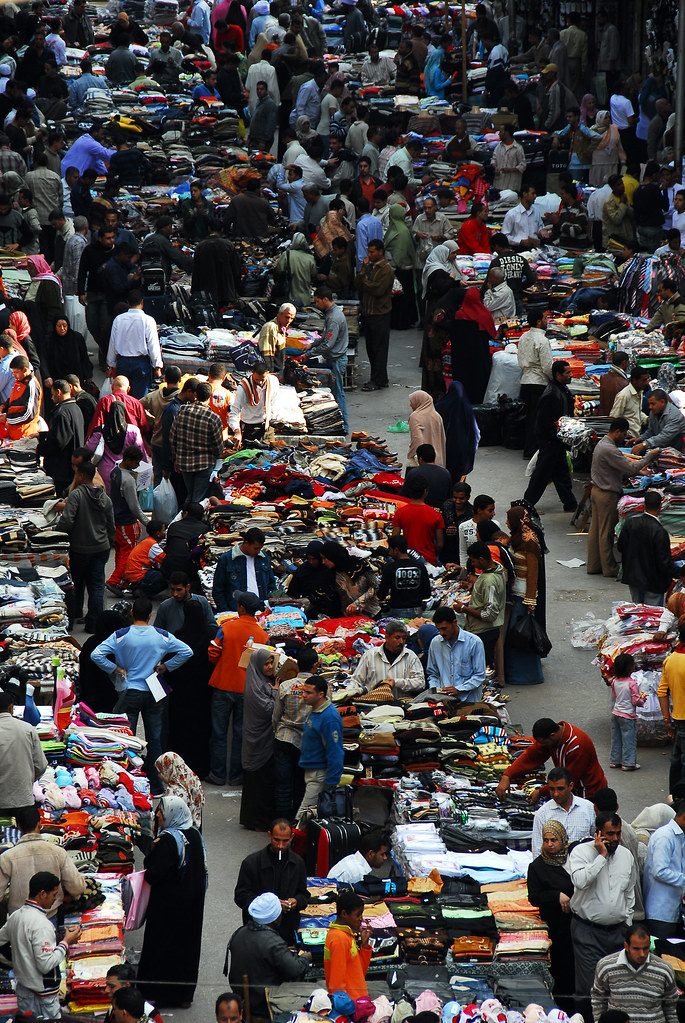
Image credit: Market by tinou bao via flickr (BY 2.0), sourced through Openverse.
Written by
Sneha Pandey
Digital marketing strategist focused on WhatsApp Business API, bulk SMS campaigns, and growth hacking for Indian SMBs. Sneha has helped companies achieve 3x customer engagement through conversational commerce.
Looking for a technology partner?
From IT consulting to virtual office to custom software — eDarpan can help.
Continue reading
WhatsApp Business API Pricing Changes 2026: What SMBs Pay Now
WhatsApp's shift to per-message pricing in 2026 could raise your bill 30-50%. Here's what SMBs really pay and how to cut costs by 40%.
AI Advertising Tools for Indian SMBs 2026: What Actually Works
AI advertising tools for small business India can cut ad costs by 22%—but only if set up right. Real client examples, ROI, and mistakes to avoid in 2026.
WhatsApp Marketing ROI 2026: What Indian SMBs Actually Earn
Real 2026 numbers on WhatsApp marketing ROI for Indian SMBs: message costs, conversion benchmarks, and a worked example to estimate returns before you spend.